 CHAT & ASK AI
 AI Search Engine
 AI Image Generator
 AI Youtube Analyzer
 Whatsapp Integration
Nano Banana: AI Image Generate & Edit
Nano Banana is an AI-based image editing tool powered by nano-banana model that performs visual modification, background adjustment, object-level editing, and prompt-based transformations. The system accepts uploaded images or generated canvases and applies model-driven edits that change pixel content, semantic structure, and style. Outputs range from subtle corrections and background replacements to larger compositional changes and style transfers. Descriptions, selective masks, and parameter controls guide the editing process to produce predictable, repeatable results suitable for creative and practical workflows.
Try For Free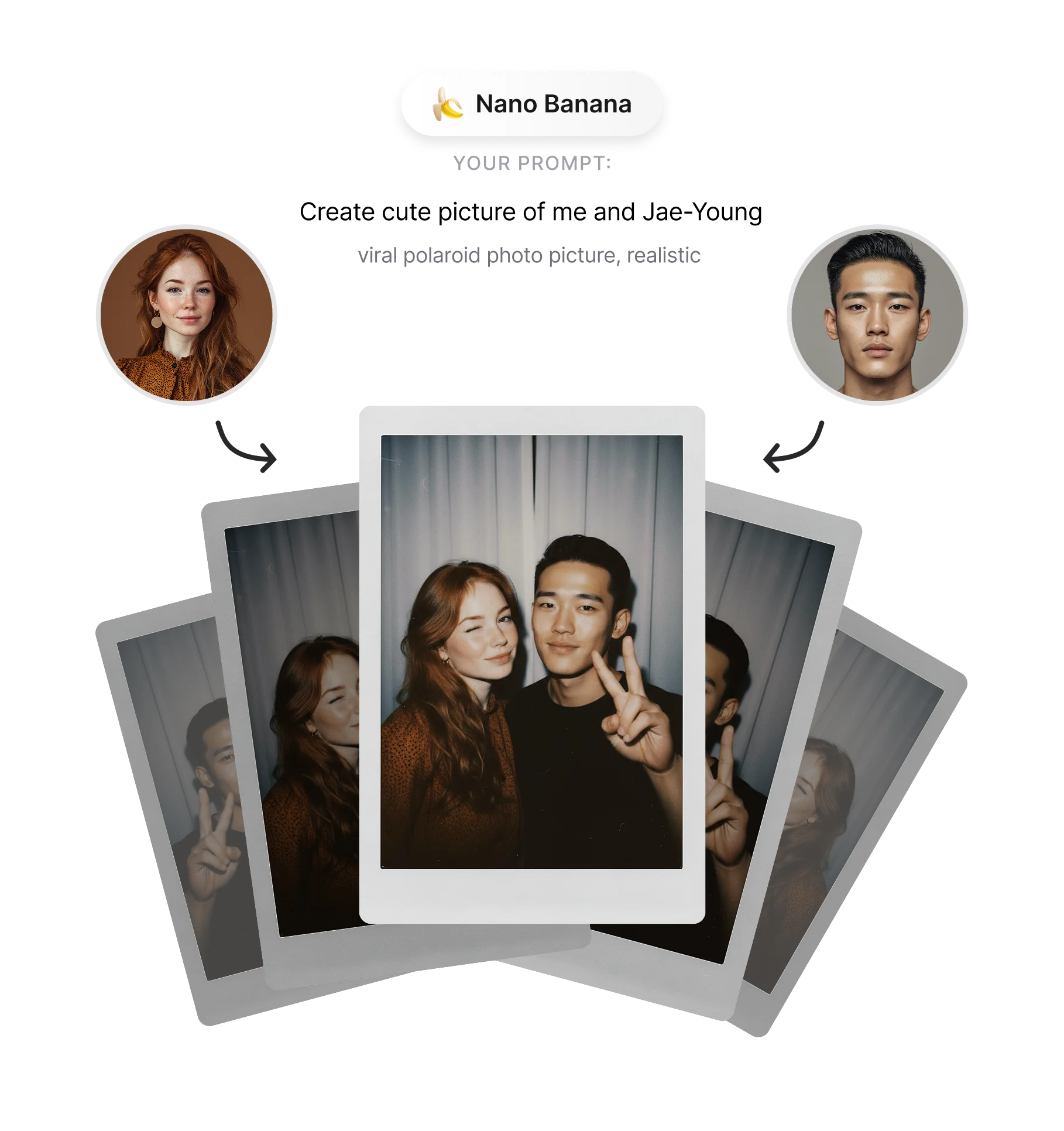
What Is Nano Banana? Core Function and Model Behavior
Nano Banana is an image-processing service that analyzes input images, extracts structural and semantic features, and produces edited outputs based on instructions. The tool works through staged model processing to: (1) parse the image into layers and object segments, (2) convert prompt directives into transformation maps, and (3) render pixel-level changes while keeping the image coherent. Supported operations include color correction, object removal or replacement, scale and perspective adjustments, and style application. Edited files are saved in common image formats and can include metadata that records the applied edits and prompt history.
Visual Output Styles and Transformation Options
Nano Banana can produce a range of visual styles and structural transformations:
Photorealistic retouching: exposure adjustments, color grading, skin smoothing, and detail enhancement.
Creative style transfer: apply painting, illustration, or film-like textures while maintaining composition.
Structural edits: resize, remap perspective, remove or add objects, and blend replacements into scenes.
Background modification: replacement, blur, segmentation-based cutouts, and scene relighting.
Each transformation accepts prompt parameters and mask inputs to define area, strength, and stylistic direction, yielding consistent outputs across similar requests.
How Nano Banana Is Used: Access, Workflow, and Practical Applications
Access to Nano Banana is provided through the Ask AI platform where images can be uploaded, prompts entered, and editing modules selected. Typical workflow steps:
Upload or generate an image within the Chat AI environment.
Define edits using natural-language prompts, masks, or preset templates.
Preview intermediate results and adjust strength, style, or composition controls.
Export final images in the chosen resolution and format.
Common use cases include product photo background replacement, portrait enhancement, creative concept iterations, social media asset preparation, and rapid visual prototyping. Integration options include web interfaces and toolkits for batch processing. When combined with model-driven search or prompt libraries, Nano Banana supports iterative refinement and reproducible editing sessions. Note: high-resolution edits may take longer; processing pipelines balance fidelity and compute to provide predictable turnaround.
Frequently Asked Questions
What is Nano Banana?

How does Nano Banana edit images?
Is Nano Banana free to use?
Does Nano Banana require a subscription?
How do I access Nano Banana?
What types of editing can Nano Banana perform?
How is Nano Banana different from traditional image editors?
Does Nano Banana support high-resolution outputs?
