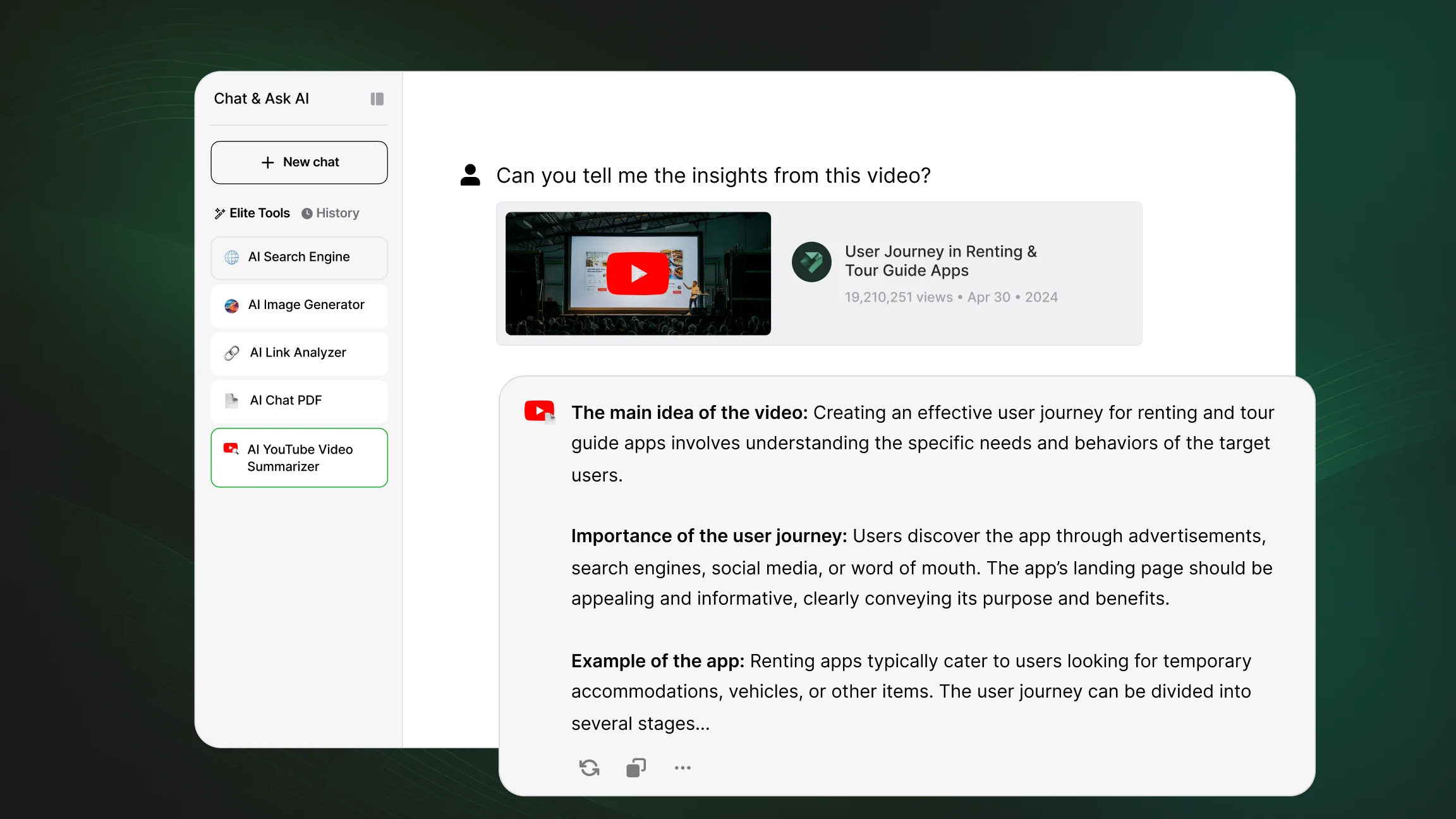
How to Summarize YouTube Videos with AI?

AI tools can quickly turn long YouTube videos into concise summaries, key takeaways, or structured notes. Instead of watching an entire video from start to finish, users can extract the core content using links, transcripts, or chat based tools designed to process spoken material into readable text.

Date July 30, 2026 · Sophie Turner

What It Means to Summarize a YouTube Video with AI?

Summarizing a YouTube video with AI means converting spoken content into a shorter, readable format that captures the main points. The process typically starts with a transcript, generated through speech to text technology, which the AI then analyzes to identify key ideas, structure, and supporting details.

The output can take different forms depending on how the tool is used. Some summaries present a short overview of the video's main idea, while others break the content into a list of key points, simplified explanations, or structured insights organized by topic. This makes it possible to review a lecture, tutorial, or lengthy discussion in a fraction of the original viewing time.

Main Ways to Summarize YouTube Videos

There are several common approaches to turning a YouTube video into a summary, each suited to different habits and workflows.

Dedicated AI summarizer websites allow a user to paste a video link directly and receive a generated summary without needing to install anything. Browser extensions take a different approach, adding a summarize option directly within the YouTube interface so a user does not need to leave the page. Chat-based AI tools offer more flexibility, since they can work with a pasted link or an existing transcript and allow follow-up questions after the summary is generated. Some platforms also include built-in AI features that summarize video content as part of a broader set of tools, rather than as a standalone function.

Step by Step: Turning a YouTube Video into a Summary

The general process for summarizing a YouTube video with AI follows a consistent pattern across most tools.

Step Action What Happens
1
🔗 Copy the YouTube video link
The link is taken from the address bar or the share option
2
📋 Paste it into an AI tool or activate an extension
The tool identifies the video and prepares it for processing
3
Let the AI process the transcript
Audio is converted to text and analyzed for key content
4
🔍 Review the generated summary
The output is checked against the video for accuracy
5
💬 Refine with follow-up questions
Specific sections or details can be clarified further

This workflow applies whether the goal is a quick overview of a short clip or a detailed breakdown of a longer lecture or presentation.

Writing Better Prompts for Video Summaries

The quality of an AI-generated summary depends heavily on how clearly the request is written. A vague prompt tends to produce a generic overview, while a specific prompt guides the AI toward a more structured and useful result.

Examples of clear prompts include:

  • "Summarize this video in 5 key points"

  • "Give a short summary with timestamps"

  • "Explain the main idea in simple terms"

  • "List actionable insights from this video"

Simple prompts create generic summaries that cover only the broad topic of the video. Detailed prompts, by contrast, produce more useful and structured results, since they tell the AI exactly what format or level of detail is expected. Asking a tool through AI chat to focus on a specific section or compare two points made in a video is one way to get a more targeted response than a single generic request would provide.

Tools Commonly Used for Video Summarization

Several types of tools are commonly used for summarizing YouTube videos, each with a slightly different approach.

Tools like NoteGPT or YouLearn AI allow users to paste video links and receive structured summaries without additional setup. Browser extensions integrate summarization directly into YouTube, generating an overview alongside the video player itself. Chat-based tools can analyze transcripts or respond to follow-up questions, which makes them useful when a summary alone is not enough and further clarification is needed.

Chat & Ask AI stands out as a flexible option that allows users to analyze YouTube links, generate summaries, and continue the conversation by asking deeper questions about the video content in a single workflow. This approach through also link based AI chat extends to other formats, since users working with written material can apply the same process to documents through AI chat for PDF files, keeping video and document review within a consistent workflow. For users who want to look up additional context around a topic covered in a video, AI web search can help verify details or find related information without leaving the conversation.

When AI Video Summaries Are Most Useful?

AI video summaries are useful in a range of everyday scenarios. Reviewing lectures becomes faster when key concepts are extracted into a short, organized format instead of requiring a full replay. Understanding tutorials is easier when steps are condensed into a clear sequence rather than scattered across a long recording. Extracting insights from long videos, such as interviews or panel discussions, helps identify the most relevant points without sitting through unrelated segments.

Summaries are also useful for quickly scanning content before watching, helping a user decide whether a full viewing is worthwhile. This approach allows users to focus on the most important parts of a video without committing time to material that may not be relevant to their needs. Once key points are extracted, they can also be reshaped into other formats, such as drafting a short recap or social post through a marketing assistant for sharing with a wider audience.

FAQ

Frequently Asked Questions

Can AI summarize any YouTube video?

AI can summarize most YouTube videos that have available audio or captions, though accuracy depends on audio quality, spoken clarity, and whether a transcript can be generated successfully.

How do I summarize a YouTube video using AI?

Copy the video link, paste it into an AI tool or activate a summarizer extension, let the AI process the transcript, and review the generated summary for accuracy.

Do I need a transcript to summarize a video?

Not necessarily. Many tools generate a transcript automatically using speech to text technology, so a separate transcript is not required before starting the summarization process.

Which AI tools can summarize YouTube videos?

Options include dedicated summarizer websites, browser extensions, chat based AI tools, and platforms with built in summarization features, each offering a different way to process video content.

Can AI include timestamps in summaries?

Yes. Many AI tools can generate summaries with timestamps, allowing users to jump to specific sections of the video that correspond to key points or topics discussed.

Are free AI video summarizers reliable?

Free tools can produce accurate summaries for many videos, though reliability may vary with longer content, technical vocabulary, or lower audio quality.

Can I ask follow-up questions about a video?

Yes, particularly with chat based tools, which allow users to ask clarifying questions or request more detail about specific parts of the video after the initial summary is generated.

Why is my AI summary too basic?

A basic summary often results from a vague prompt. Providing more specific instructions, such as requesting key points, timestamps, or a particular focus, produces a more detailed result.

Chat & Ask AI

AI CHAT, WRITING & PRODUCTIVITY PLATFORM

Chat & Ask AI is an AI platform that brings conversational chat, writing assistance, document analysis, and image generation into one subscription. You can access several leading AI models depending on the task, ask questions, draft content, review a PDF, or generate a visual within the same conversation. To experience how a multi-model workspace can streamline your unified daily workflow, you can create your workspace account today without adding extra tools to your routine, or learn more about Chat & Ask AI.

96% of users report increased efficiency and faster workflows after switching to Chat & Ask AI.