
 AI Search Engine
 AI Image Generator
 AI Youtube Analyzer
 Whatsapp Integration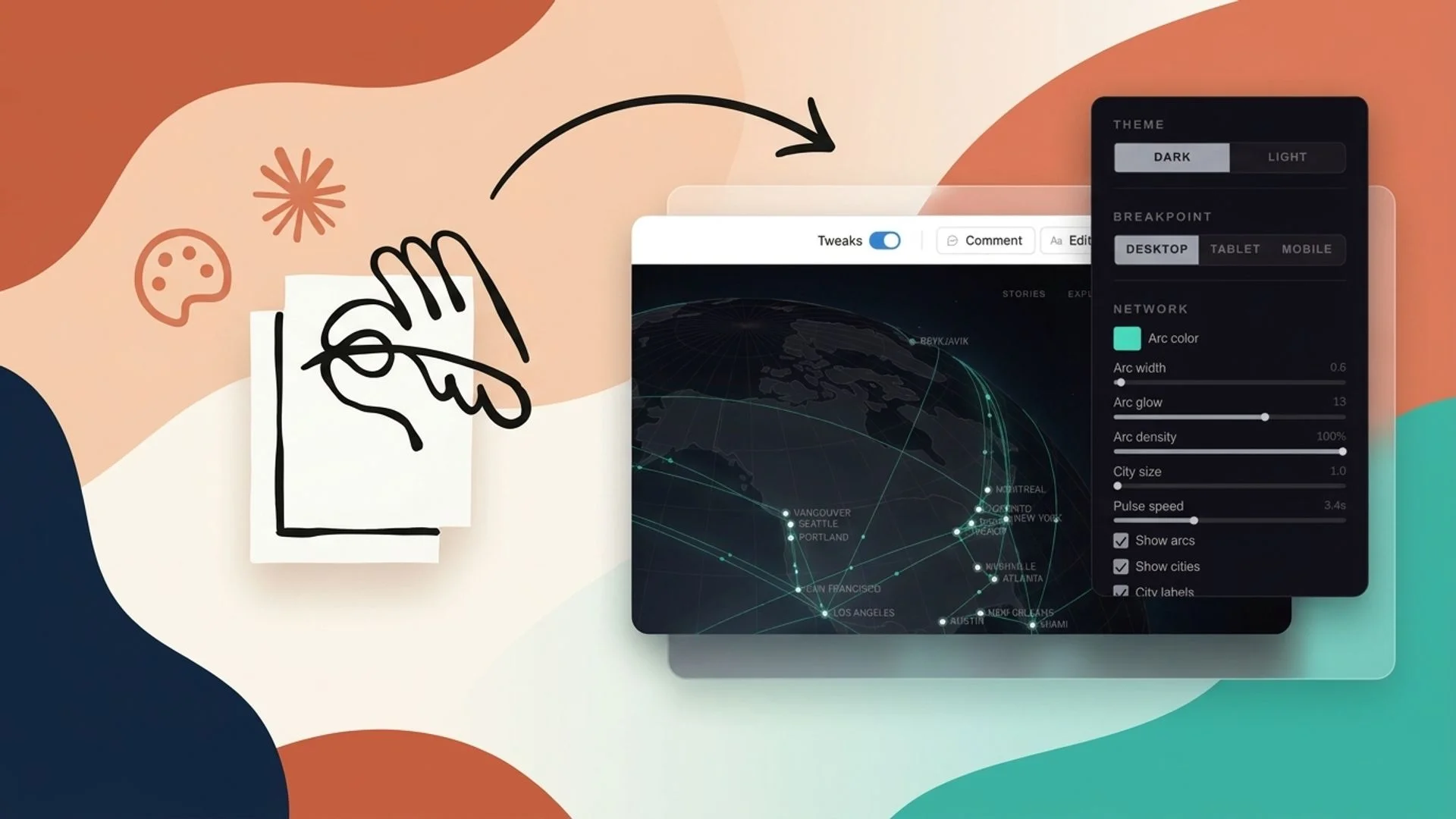
What Is Claude Design and How Does It Work?
Claude Design is an AI-driven design environment that transforms text prompts into visual outputs like UI layouts, web pages, presentation slides, and clickable prototypes. Work typically starts by describing the desired interface or prototype behavior in a prompt. The system returns an initial layout, and the workflow continues through conversational instructions, inline edits, and layout adjustments. This prompt-based approach supports iterative design similar to traditional UI and UX tools—spacing, typography, and component structure can be adjusted—but interaction happens through natural language and guided responses, combining fast generation with manual refinement.
Key Features of Claude Design for UI and Web Design
Claude Design includes features aimed at frontend and visual workflows: prompt-based layout generation that creates pages and screens from text, reusable design components for consistent UI elements, brand styling controls for color and typography consistency, and export options for presentations and web-ready assets. The tool also supports visual prototyping and interactive states and provides component libraries to speed recurring design tasks. These capabilities reduce repetitive work and increase visual iteration speed in typical AI web design tools and AI UI design tools workflows.
How to Use Claude Design to Build UI Layouts
Building UI layouts with Claude UI Design usually starts by describing the interface structure: header, navigation, main content areas, side panels, and footer. Prompts can specify the grid, primary actions, and information hierarchy. After the initial draft, refinement happens by requesting spacing changes, typography adjustments, component reordering, or alternate visual emphasis. Iteration often includes asking for different component states (hover, active), swapping components for reusable patterns, and exporting component specs for handoff. This prompt-first method simplifies common frontend design with AI tasks and produces clearer, more usable layouts across multiple versions.
How to Create Websites With Claude Design
Claude web design workflows convert structured prompts into responsive page designs. Prompts define sections such as hero headers, feature blocks, testimonials, navigation menus, and call-to-action regions. The AI can generate landing page drafts, multi-section pages, or simple site templates with desktop and mobile breakpoints. After generation, prompts refine responsiveness, adjust spacing and stacking rules, and suggest alternate content arrangements. The focus remains on layout and structure rather than code; outputs speed visual planning and produce assets or spec sheets for development handoff.
How to Build Apps and Interactive Prototypes
Claude Design supports mobile UI and interactive prototype creation through conversational instructions. Prompts can request mobile, tablet, or smartwatch layouts and simulate navigation flows like login, onboarding, and primary task journeys. The platform can produce interactive states and link screens to show taps, swipes, or modal behaviors. These prototypes visualize app behavior, let teams test user journeys, and validate interaction logic before development. Clickable flows and annotated screens make the tool a useful component in AI prototyping tools workflows and early-stage product validation.
Creating Design Systems With Claude Design
Claude design system capabilities enable automated generation of reusable visual rules: color palettes, typography scales, spacing systems, and component libraries for buttons, cards, and forms. Prompts can specify brand colors, accessibility targets, and UI scale preferences; the AI then outputs tokens and components that can be reused across projects. Generated design systems help maintain brand styling consistency and reduce manual upkeep across repeated Claude design projects, supporting long-term workflow efficiency.
Real Use Cases: What Can Claude Design Build?
Claude Design supports multiple real-world outputs useful across creative and professional workflows.
UI dashboards that visualize metrics and user workflows with reusable panels.
Landing pages created quickly from content briefs and CTA requirements.
Pitch decks and animated presentations that convert slide prompts into visual sequences.
Animated presentations with transitions and storytelling frames.
Mobile interfaces with flow simulations for onboarding and primary tasks.
These outputs connect to productivity workflows where rapid prototyping and quick visual testing shorten iteration cycles and clarify design decisions.
Prompt Examples for UI, Website, and App Design
Prompt clarity is central to accurate visual results with Claude prompt design. Clear, structured prompts reduce back-and-forth and improve the first draft.
Example prompts:
UI layout: "Create a desktop dashboard layout with a left navigation, top search bar, three metric cards in the header, and a two-column content area with a chart on the left and recent activity list on the right. Use neutral palette and 16px base type."
Landing page: "Design a responsive landing page with hero section, centered headline, three feature cards, customer testimonial carousel, and a bold CTA near the fold. Include a compact top navigation and mobile menu."
Mobile app: "Build a mobile onboarding flow of three screens: welcome, interest selection, and permissions. Include progress indicator, primary CTA, and skip option. Use large touch targets and readable type."
Detailed prompts produce more accurate layouts and reduce repeated adjustments in AI website layout generator and generate UI from prompts workflows.
Claude Design vs Traditional Design Tools
Claude Design introduces a prompt-first workflow instead of purely manual layout editing. Key differences include faster initial drafts from natural language, conversational iteration rather than repeated manual tweaks, and a collaboration model driven by text-based direction. Traditional tools emphasize direct manipulation and pixel-level control; Claude Design focuses on concept-to-visual speed while still allowing manual refinement and export for detailed editing. This hybrid workflow changes iteration rhythm and supports teams that prefer quick exploration followed by targeted manual polish.
Limitations and Considerations When Using Claude Design
While Claude ai design accelerates visual creation, limitations exist. Precision often requires manual adjustments after generation, particularly for complex interactions or pixel-perfect assets. Export formats and flexibility can vary, and results depend heavily on prompt clarity. Design teams should plan iterative refinement, validate accessibility, and prepare for developer handoff to convert visuals into production-ready code. Prompt-based workflows complement—rather than replace—existing design processes.
Future Outlook: How AI Design Tools Are Changing Visual Workflows
AI-powered visual design tools are shifting workflows toward combined conversational generation and structured development pipelines. Future releases are likely to improve iteration speed, generate richer interactive states, and expand handoff formats. Iterative improvements should refine layout accuracy and better fit frontend pipelines.
Chat & Ask AI provides access to modern visual design workflows for exploring prompt-based design in practical projects. Try Chat & Ask AI for free.

